Last updated: November 2026
If you are weighing up eSIM vs physical SIM Android options, you are not alone. More Android phones now ship with eSIM support, some newer models have dropped the SIM tray altogether in certain markets, and carriers are pushing digital activation hard. At the same time, the little plastic SIM card still works perfectly well, and for many people there is no obvious reason to change. The honest answer: neither option is right for everyone. An eSIM is more convenient for travellers and people who juggle two numbers, while a physical SIM is simpler to move between phones and easier to replace when something goes wrong. This guide explains how each one works on Android, compares them side by side, and helps you decide which suits your phone, your carrier and the way you use your mobile.

What Is an eSIM?
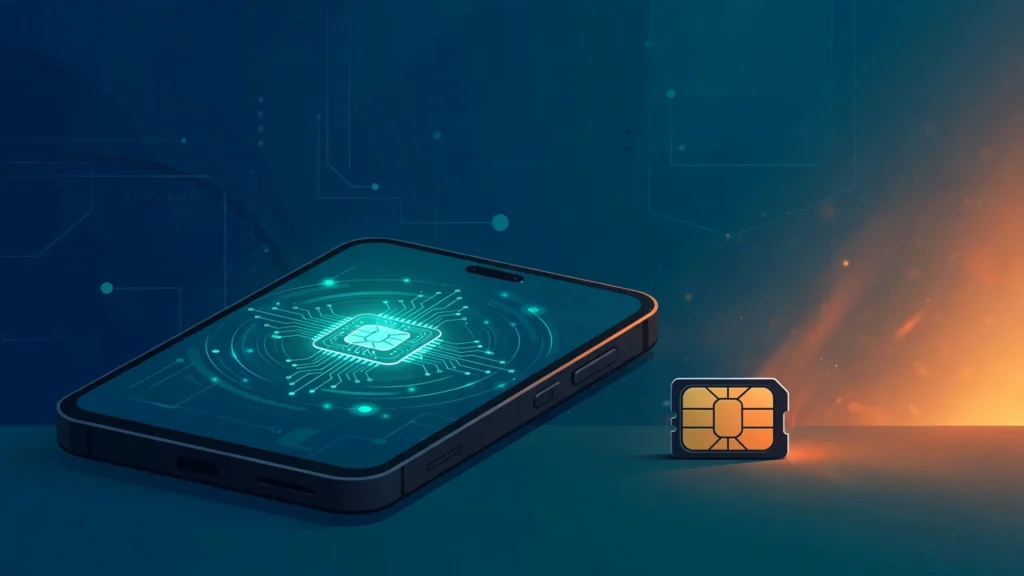
An eSIM, short for embedded SIM, is a small chip built into your phone. It does the same job as a physical SIM card — it identifies your phone to your carrier’s network — but there is nothing to insert, remove or lose. Instead of a plastic card, your carrier sends you a digital profile, usually as a QR code or through the carrier’s app, and your phone downloads it onto the embedded chip. Once the profile is active, your phone connects to the network exactly as it would with a physical SIM.
Most flagship and many mid-range Android phones released in recent years support eSIM, including recent Pixel, Samsung Galaxy and Motorola models, though support varies by region and carrier. Some phones pair one eSIM with one physical SIM, while others store several eSIM profiles and use one or two at a time. You can check whether your phone supports eSIM in Settings, usually under Network and internet, or by searching for the eSIM option in your phone’s settings search. If your phone does not have the option, it almost certainly uses a physical SIM only, and no software update can add eSIM support because the chip has to be present in the hardware.
What Is a Physical SIM?
A physical SIM is the familiar plastic card that slots into a tray on the side of your phone. It stores your subscriber identity and connects your phone to your carrier’s network. When you want to change phones, you pop the tray out, move the card, and you are connected within seconds. When you want to change networks, your new carrier sends you a new card in the post or hands you one in a shop, and you swap it in.
The format has shrunk over the years to the nano SIM used by almost every modern Android phone. The card itself is simple, cheap to produce and universally understood, which is why it has lasted so long. It needs no internet connection to activate, no QR code and no app. For anyone who swaps phones often, buys second-hand handsets, or uses a phone in a place with patchy internet, that simplicity is a real advantage. The trade-off is that it is a physical object: it can be lost, damaged or bent, and if you want two numbers on one phone you need a handset with two SIM trays or a combination of one physical SIM and one eSIM.
How eSIM Works on Android
Setting up an eSIM on Android is straightforward once your carrier supports it. The usual route is to scan a QR code provided by your carrier, either printed on a card or shown in the carrier’s app or website. Open Settings, go to Network and internet, then SIMs, and tap the option to add a new eSIM. Your phone’s camera scans the code, downloads the carrier profile, and activates it. Some carriers let you activate entirely inside their own app, with no QR code at all, and a few support transferring an eSIM from your old phone during setup, though this depends on both the carrier and the phone maker.
Once installed, the profile behaves like a SIM: calls, texts and mobile data work as normal. The difference shows up when you manage it: you can switch between stored eSIM profiles, turn one off without removing anything, or delete a profile and download a new one. On dual SIM phones, Android lets you choose which SIM handles calls, texts and data, and you can change that choice at any time in Settings. If you are setting up a new phone, our guide to the Snapdragon 8 Elite vs Apple A18 Pro is worth a look, since the newest chips also bring the modem improvements that make switching between networks and eSIM profiles noticeably smoother.
Switching to eSIM: What the Move Actually Involves
Before you switch, check three things. First, confirm your phone supports eSIM, as described above. Second, confirm your carrier supports eSIM activation on Android, because some carriers support eSIM only on certain handsets or only through their app. Third, check whether your current plan, especially an older or discounted plan, can be moved to eSIM without changing its terms. Most carriers will move you for free, but a few charge a small fee or require a plan change.
The switch itself usually takes a few minutes. Request an eSIM from your carrier, scan the QR code or follow the in-app steps, and wait for the profile to download and activate. Your physical SIM stops working once the eSIM is active, so keep the old card until the new profile is confirmed working, and never delete the eSIM profile unless you mean to cancel it. If you are buying a new phone, set up the eSIM during the phone’s first setup, when Android walks you through it. One warning: if you factory reset your phone, some handsets offer to keep the eSIM profile and some wipe it, so check the reset screen carefully and keep the profile unless you are sure you can re-download it.
eSIM vs Physical SIM: Head-to-Head Comparison
| Feature | eSIM | Physical SIM |
|---|---|---|
| Setup | Scan a QR code or use the carrier app | Insert the card into the tray |
| Moving to a new phone | Download the profile again or transfer it | Move the card in seconds |
| Two numbers on one phone | Store several profiles, use one or two at a time | Needs a dual SIM tray or an eSIM as well |
| Travel | Buy a local or travel eSIM online before you fly | Buy a local SIM at the airport or a shop |
| If your phone is lost or stolen | Harder to remove, can be wiped remotely | Easy to remove and use in another phone |
| If the SIM stops working | Re-download the profile from your carrier | Ask your carrier for a replacement card |
| Phone design | No tray needed, frees space inside the phone | Needs a tray and a slot in the frame |
| No internet needed | Needs internet to download the profile | Works with no internet at all |
| Carrier support | Growing, but not universal | Universal, every carrier supports it |
The table makes the core trade-off clear. An eSIM wins on flexibility and travel, while a physical SIM wins on simplicity and on moving between phones. Neither is better in every situation, which is why most Android phones that support eSIM still keep the physical tray as well.

Where Each One Wins
eSIM’s advantages
The biggest advantage of an eSIM is flexibility. Because profiles are digital, you can store several of them on one phone and switch between them without touching a tray, which is ideal if you have a work number and a personal number, or keep a second number for a side project. It is also the reason travellers love eSIM: you can buy a travel or local data plan online before you leave home, install it while you are still on Wi-Fi, and land with mobile data already working, with no queue at an airport kiosk and no fiddly SIM swap in an arrivals hall.
An eSIM is also harder to steal. A thief cannot pull the card out of a stolen phone and slot it into another handset, and if you can reach your phone remotely you can wipe the profile along with the rest of the device. Phone makers like eSIM too, because removing the tray frees space inside the phone and removes a point where water and dust can get in, which is one reason some manufacturers are dropping the tray entirely in certain markets. For more on where phone hardware is heading, our Wi-Fi 7 vs Wi-Fi 6E Android comparison looks at the other connectivity upgrade arriving on new handsets.
Physical SIM’s advantages
A physical SIM’s greatest strength is that it just works, everywhere, with no setup. Moving it to a new phone takes seconds and needs no internet, no QR code and no carrier app, which matters when you buy a second-hand phone, borrow a handset while yours is being repaired, or set up a phone somewhere with no Wi-Fi. If a card is damaged, your carrier simply hands you a new one, while a broken eSIM profile can mean a longer support call and a fresh download.
Carrier support is universal too: every carrier supports physical SIMs, but eSIM support is still patchy, with some smaller carriers and virtual operators not offering it at all. Finally, a physical SIM makes it easy to keep your number separate from your phone. Sell the handset, take the card out, and your number goes with you. With an eSIM, you have to remember to delete the profile before handing the phone over.
Dual SIM and Travel: The Practical Difference
Dual SIM is where the difference between the two formats becomes practical rather than theoretical. Many Android phones support one physical SIM plus one eSIM, which gives you two numbers without needing two trays. You can keep your main number on the physical SIM and add a travel eSIM for data abroad, or keep work and personal numbers on one device. Android lets you pick which SIM handles calls, texts and data, and you can set data to one SIM and calls to the other.
For travel, eSIM is the clear winner for most people: buy a travel eSIM before departure, often cheaper than airport SIM stalls, and keep your home number active for calls and texts while the eSIM handles data. A physical local SIM still has its place, though: in countries where eSIM support is limited, or where a local prepaid SIM is far cheaper than any travel plan, buying a card on arrival is the better deal. For frequent travellers, a phone with both options gives you the most choice. If your next phone is likely to be your travel companion for years, the broader connectivity picture matters too, and our Wi-Fi 7 upgrade guide explains the other wireless change worth knowing about before you buy.
Security and Privacy
On security, eSIM has a small but real edge. Because the profile lives on a chip soldered into the phone, it cannot be removed and used in another handset if your phone is stolen, which makes it harder for a thief to receive your calls and texts. That matters because many account recovery codes arrive by text message. An eSIM can also be wiped remotely along with the rest of the phone, while a physical SIM keeps working in any phone until you contact your carrier to block it.
That said, neither format protects you on its own. Both are vulnerable to SIM swap fraud, where someone convinces your carrier to move your number to a SIM they control. The best defence is the same either way: set a PIN on your SIM or eSIM profile, use a strong password and two-factor authentication on your carrier account, and ask about extra number-porting protections. A SIM PIN is worth switching on whatever format you use, because it stops anyone who has your phone from using your number, even if they can unlock the handset itself. As a rule, the security of your number depends more on your carrier account and your own habits than on whether the SIM is plastic or digital.
Which Should You Choose?
Choose an eSIM if your phone and carrier both support it and you travel, use two numbers, or change plans often. The convenience of installing a plan from your sofa, keeping several profiles on one phone, and landing abroad with data already working is genuinely hard to give up once you have tried it. Choose a physical SIM if you swap phones often, use a carrier that does not support eSIM, or simply want the simplest possible setup with nothing to download and nothing to go wrong. There is nothing outdated about a physical SIM, and for a single-number user who rarely travels, it remains the easiest option.
If your phone supports both, you do not have to choose at all: keep your main number where it is and use the other slot for travel or a second number. That combination is the most flexible setup on Android today, and the reason most manufacturers still include the tray alongside eSIM support. The format that suits you is the one that matches how you use your phone, not the one the marketing suggests is newer. Either way, make sure you know how to move your number before you need to, because the worst time to discover your carrier’s transfer process is the day your phone is lost or broken.
Frequently Asked Questions
Can I switch from a physical SIM to eSIM and keep my number?
Yes. Your number belongs to your account, not to the card, so moving to eSIM keeps the same number. Ask your carrier for an eSIM, scan the QR code or follow the in-app steps, and your physical SIM stops working once the eSIM activates. Keep the old card until you have confirmed the eSIM works.
Do all Android phones support eSIM?
No. eSIM needs a dedicated chip in the phone, so only handsets built with one can use it. Most recent flagship and many mid-range Android phones support it, but budget phones often do not. Check in Settings under Network and internet before you ask your carrier for an eSIM.
Can I use eSIM and a physical SIM at the same time?
Yes, on phones that support it: many Android phones run one physical SIM plus one eSIM, giving you two numbers on one device. You can choose which SIM handles calls, texts and data in Settings, and change the choice at any time. Some phones can store several eSIM profiles but only use one or two of them at once.
Is eSIM better for travelling abroad?
Usually, yes. You can buy and install a travel or local eSIM before you leave, so data works as soon as you land, and you can keep your home number active for calls and texts. A local physical SIM can still be cheaper in some countries, so a phone with both options gives you the most choice.
What happens to my eSIM if I factory reset my phone?
It depends on your phone. Some handsets ask during the reset whether to keep the eSIM profile, while others wipe it along with everything else. If the profile is wiped, you will need to download it again from your carrier, so check the reset screen carefully and keep your carrier’s QR code or app details somewhere safe.
The Verdict
So, eSIM vs physical SIM on Android: which should you choose? For most people, use whichever your phone and carrier make easy, and enjoy the flexibility of both if your phone supports them. An eSIM is the better choice for travellers, dual-number users and anyone who likes managing plans digitally, while a physical SIM remains the simplest and most universal option, especially if you swap handsets often or your carrier’s eSIM support is limited. There is no wrong answer here, only the one that fits your habits.
If you do switch, do it on a quiet day, keep your old SIM until the new profile is confirmed working, and switch on a SIM PIN either way. And before your next phone purchase, check both the eSIM support and the connectivity on offer, because the SIM decision is only one part of the package. For more on the latest Android hardware and connectivity, browse the Technology News section and see what is changing before you upgrade.