Last updated: November 2026
If you own a OnePlus phone, the question on your mind is probably a simple one: is my phone among the OxygenOS 16 eligible phones, and what will the update actually change? OxygenOS 16 is OnePlus’s next major software update, built on Android 16, and it brings the usual mix of a refreshed design, new AI tools, privacy improvements and performance tweaks that OnePlus fans expect from a yearly release. This guide brings together what OnePlus has said publicly and what has been widely reported, so you can check whether your phone is in line for the update, know what is new, and get ready for it when it arrives. Where a detail is not yet confirmed, we say so plainly rather than guessing.
What Is OxygenOS 16?
OxygenOS is the software that runs on OnePlus phones, sitting on top of Android. Each year OnePlus releases a new numbered version, and OxygenOS 16 is the 2026 release, based on Android 16. Like previous versions, it keeps the clean, fast feel that OxygenOS is known for — minimal clutter, smooth animations, and plenty of customisation — while adding new features on top. If you have used a OnePlus phone for a while, the update will feel familiar: the same home screen and settings you know, with a refreshed look and new tools tucked inside.
The headline themes of OxygenOS 16 are the ones OnePlus has talked about most: a redesigned interface with softer visuals and more fluid motion, deeper AI features built into everyday apps, and stronger privacy controls. There are also the quieter improvements that matter day to day — better battery management, smoother performance, and small quality-of-life changes across the system. You will not need to learn a new phone, but you will notice the difference the first time you unlock it after updating.
When Will OxygenOS 16 Arrive?
OnePlus rolls out major updates in phases, and OxygenOS 16 follows the same pattern. The newest flagship phones get the update first, usually through a staged rollout that starts with a small group of users and widens over several weeks. Older models and the Nord series follow later, in batches. This phased approach lets OnePlus catch bugs early, but it also means that two people with the same phone model can receive the update days or even weeks apart — that is normal, and it does not mean anything is wrong with your phone.
OnePlus typically runs a beta programme before the stable release, where keen users can try an early version and report problems. If you like being first, the beta is the way in, but remember that beta software can have bugs, drain battery faster, and occasionally break an app you rely on. For most people, the sensible choice is to wait for the stable release. OnePlus has said the rollout will proceed through the year, with flagships first, and we will update this guide as the company confirms more dates. For the wider picture of what is coming to Android phones this year, see our guide to Android updates in 2026.
Which OnePlus Phones Will Get OxygenOS 16?
This is the question most readers want answered, and the honest answer is that the full list depends on OnePlus’s update policy for each model. OnePlus generally supports its flagship phones for several years of major Android updates, and its Nord phones for a shorter period, so newer phones are safe and older ones need checking. Based on what OnePlus has said and what has been widely reported, the phones most likely to receive OxygenOS 16 are the recent flagship families.
Flagship phones first
The OnePlus 13 series, as the current flagship line, is first in line for the update, and the OnePlus 12 series is widely expected to follow soon after. The OnePlus 11 series, still within its promised update window, is also expected to receive it, though later in the rollout. These are the phones OnePlus has built its reputation on, and they get the longest support. If you own one of these, you can be reasonably confident the update is coming to your phone.
Nord and older models
The Nord series gets a shorter update window, so the newest Nord models are the most likely candidates, while older Nord phones may not make the cut. OnePlus has said it will publish the official list of eligible devices as the rollout begins, and that list is the one to trust — not rumours on social media. If your phone is more than a few years old, check the official list when it appears, and check how many major updates your model was promised when it launched. That promise is the best guide to whether OxygenOS 16 will reach your phone. Our round-up of Android 16 update eligible devices covers the wider Android 16 picture across brands, if you want to compare.
The New Design and Interface
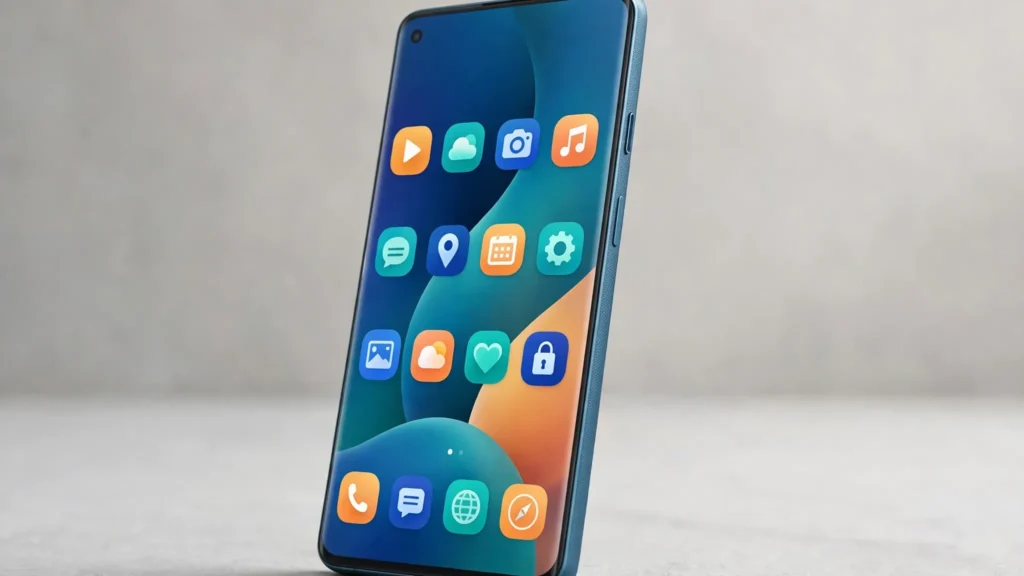
OxygenOS 16 brings a visual refresh, and the changes are easy to spot. OnePlus has moved towards softer, more rounded visuals across the interface — rounder icons, gentler corners, and more fluid animations when you open apps, switch between them, or pull down the notification shade. The lock screen gets new customisation options, including more clock styles and wallpaper effects, so your phone can look more like yours. The quick settings panel has been tidied up, with clearer icons and easier access to the controls you use most.
The changes are not just cosmetic. OnePlus has said the new animations are designed to feel faster and more responsive, with less stutter when scrolling through long feeds or switching between heavy apps. The always-on display gains new styles, and there are more options for widgets on the home screen. None of this changes how you use your phone, but it makes the phone feel newer, which is exactly what a yearly update should do. If you like to customise, spend ten minutes in the settings after updating — the new options are worth exploring.
AI Features in OxygenOS 16
AI is the biggest theme of OxygenOS 16, and OnePlus has built new tools into the apps you already use. The most useful is AI writing help in the keyboard and notes apps: it can rewrite a message in a different tone, fix grammar, or turn a rough note into a polished draft. There is also AI summarising, which can condense a long article or a rambling group chat into a few key points, and AI search, which lets you find a photo, a file or a setting by describing it in plain language instead of remembering its exact name.
The camera app gains AI photo tools, including the ability to remove unwanted objects or people from a photo, sharpen a blurry shot, and improve low-light pictures after you take them. These are the kind of features that sound like a gimmick until you use them once — removing a stranger from a holiday photo is genuinely useful. OnePlus has also said its AI assistant is more capable in this version, able to handle multi-step requests like summarising your day from your calendar and messages. As with all AI features, the results depend on the input, so treat the AI as a helpful assistant rather than a finished product, and check anything important before you send it.
Performance, Battery and Gaming
Every OxygenOS update promises better performance, and OxygenOS 16 is no exception. OnePlus has said the update includes a reworked system scheduler that manages background apps more intelligently, keeping the apps you use most ready to open quickly while putting apps you rarely use to sleep. The result should be a phone that feels snappier, especially on older models where a fresh version of the system can make a noticeable difference. Animations are smoother, app launches are quicker, and switching between apps should feel more immediate.
Battery life gets attention too. The update includes smarter power management, with the system learning which apps you use and when, and cutting power to the rest. There are also new battery health features, including charging limits that protect the battery over the long term — for example, stopping the charge at 80 percent overnight and finishing it just before you wake up. For gamers, there is a refreshed gaming mode with better frame rate stability and tools to block notifications and calls while you play. None of these changes will double your battery life, but together they should make the phone last a little longer and feel a little faster, which is what most users actually want from an update.
Privacy and Security
Privacy is a growing part of every Android update, and OxygenOS 16 adds new controls over what apps can see and do. The update gives you clearer information about which apps have accessed your location, camera, microphone or files, and makes it easier to take that permission away. There is a privacy dashboard that shows recent access in one place, so you can spot an app that is asking for more than it needs. OnePlus has also added stronger protections against apps that try to read your clipboard or track you across other apps.
Security gets a quieter but important upgrade: the update is built on Android 16, which includes the latest security patches and protections, and OnePlus has said it will keep delivering monthly security updates alongside the major release. There are also improvements to the way the phone handles sensitive information, such as hiding notification content on the lock screen and giving you more control over which apps can appear over other apps. Before updating, it is worth spending a few minutes in the privacy settings — the new dashboard makes it easy to see what your apps are doing, and you may be surprised.
OxygenOS 16 vs OxygenOS 15
| Feature | OxygenOS 15 | OxygenOS 16 |
|---|---|---|
| Android version | Android 15 | Android 16 |
| Design | Clean, minimal interface | Softer, rounder visuals, new lock screen options |
| AI writing help | Basic grammar and rewriting | Deeper AI writing, summarising and AI search |
| AI photo tools | Basic editing | Object removal, unblur, low-light improvement |
| Privacy dashboard | Basic permission controls | Clearer access history, stronger tracking protection |
| Battery management | Standard power saving | Smarter scheduling, charging limits for battery health |
| Gaming mode | Frame rate tools, notification blocking | Refreshed gaming mode, better frame stability |
| Rollout | Completed | Phased rollout, flagships first |
The table makes the trade-offs plain. OxygenOS 16 is an evolution rather than a revolution: the same clean, fast system, with a refreshed look, deeper AI features and stronger privacy. If you are coming from OxygenOS 15, the biggest differences you will notice are the new design, the AI writing and photo tools, and the clearer privacy controls. If you are coming from an older version, the jump is bigger, and the update is well worth installing. For a sense of how other brands are handling the same Android 16 update, our guide to the Google Pixel 9a release date specs price shows what Google’s latest phone brings to the same software generation.
How to Get Ready for the Update
Preparing for a major update takes a few minutes and saves a lot of trouble. First, back up your phone — photos, messages and important files — to your Google account or another backup service, so nothing is lost if something goes wrong. Second, free up space: a major update needs several gigabytes free to download and install, so delete old videos, unused apps and downloaded files you no longer need. Third, check your battery: plug the phone in or make sure it is well charged before you start, because an update that runs out of power halfway through can cause problems.
When the update arrives, you will see a notification, or you can check manually in Settings, then System, then System update. Download it over Wi-Fi if you can, since the file is large and will eat through mobile data. The install itself takes a while — the phone will restart once or twice — so pick a moment when you do not need your phone for half an hour. After the update, give the phone a day or two to settle: the battery may drain faster at first while the system re-indexes your files and apps, and that is normal. If an app misbehaves after the update, clear its cache or reinstall it from the Google Play Store.
Frequently Asked Questions
Which OnePlus phones will get OxygenOS 16?
The OnePlus 13 series is first in line, followed by the OnePlus 12 series and the OnePlus 11 series, which are still within their promised update windows. The newest Nord models are the most likely candidates among the Nord range. OnePlus will publish the official list of eligible devices as the rollout begins, and that list is the one to trust.
When will my OnePlus phone get OxygenOS 16?
It depends on your model. OnePlus rolls out major updates in phases, with the newest flagships first and older models and Nord phones following in batches over several weeks. You will get a notification when the update is ready for your phone, or you can check manually in Settings, then System, then System update.
Is OxygenOS 16 based on Android 16?
Yes. OxygenOS 16 is OnePlus’s version of Android 16, with OnePlus’s own design, features and apps on top. That means you get Android 16’s security and privacy improvements along with the OxygenOS additions covered in this guide.
Will OxygenOS 16 slow down my older OnePlus phone?
It should not. OnePlus designs its updates to run well on the phones it supports, and a fresh system version often makes an older phone feel faster, thanks to the reworked scheduler and smarter background management. If your phone feels sluggish after updating, give it a day or two to settle, and clear the cache of any app that misbehaves.
Can I go back to OxygenOS 15 after updating?
Rolling back is possible but not simple, and it usually involves wiping the phone and installing the older software manually, which most users should not attempt. Before you update, back up your data and, if you rely on a particular app for work, check that it is compatible with the new version. For most people, the update is a clear improvement and there is no need to go back.
The Verdict
OxygenOS 16 is a solid, worthwhile update: a refreshed design, genuinely useful AI tools, stronger privacy controls, and the performance and battery improvements that keep a OnePlus phone feeling fast. The most important question — whether your phone is among the OxygenOS 16 eligible phones — comes down to its age and the update promise it launched with. If you own a recent flagship, the update is almost certainly coming, and it is worth installing when it arrives. If you own an older Nord or a phone several years old, check OnePlus’s official list when it is published.
When the update lands on your phone, back up your data, free up space, and install it over Wi-Fi. Then spend a few minutes exploring the new lock screen options, the AI writing tools and the privacy dashboard — those are the parts of the update you will actually use every day. For more Android news, updates and guides, browse the Android News section and keep up with what is coming to your phone next.